
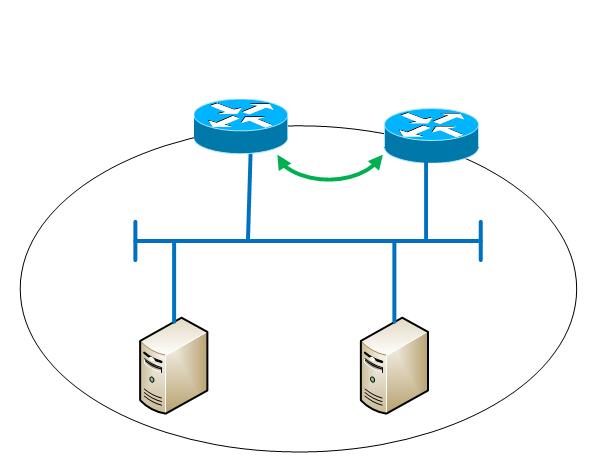
example use: one gateway to send outgoing traffic. Other traffic use the other gateway.
Two Gateways below for example:
gw1 : 172.26.2.100
gw2 : 172.26.3.100
Create a virtual interface which will be used by processes that need to send traffic to gateway gw2:
$ ifconfig eth0:1 172.26.3.209
Create a definition and give a name to the new routing table (index 1, name ‘test’):
$ echo “1 test” >> /etc/iproute2/rt_tables
Show the main routing table:
$ ip route show table main
172.26.0.0/16 dev eth0 proto kernel scope link src 172.26.3.206
169.254.0.0/16 dev eth0 scope link metric 1002
default via 172.26.2.100 dev eth0
Clear the secondary routing table:
$ ip route flush table test
Copy all rules from main table to secondary table, but the default gateway
$ ip route show table main | egrep -Ev “^default” | while read route; do
ip route add table test $route
done
Add the gateway for the secondary routing table:
$ ip route add table test default via 172.26.3.100
List the secondary routing table:
$ ip route show table test
172.26.0.0/16 dev eth0 proto kernel scope link src 172.26.3.206
169.254.0.0/16 dev eth0 scope link metric 1002
default via 172.26.3.100 dev eth0
Add a rule so that for any packet to/from the virtual interface, thesecondary routing table is applied:
$ ip rule add from 172.267.3.209 lookup test
$ ip rule add to 172.267.3.209 lookup test
At this point, traffic originated from interface eth0:1 will use gateway gw2 (172.26.3.100) and traffic from interface eth0 enroutes via the default gateway gw1 (172.26.2.100). Try and compare:
$ traceroute -s 172.26.3.206 www.google.com
$ traceroute -s 172.26.3.209 www.google.com
In order to make the changes above persistent, edit/create the following files:
1. Add a description for the ‘test’ routing table (already done):
$ echo “1 test” >> /etc/iproute2/rt_tables
2. Create file ‘/etc/sysconfig/network-scripts/ifcfg-eth0:1’ containing the
configuration of the virtual interface:
DEVICE=eth0:1
ONBOOT=yes
SEARCH=”mydomain.com”
DOMAIN=”mydomain.com”
DNS1=172.26.2.200
DNS2=172.26.2.201
BOOTPROTO=none
NETMASK=255.255.0.0
IPADDR=172.26.3.209
TYPE=Ethernet
USERCTL=no
PEERDNS=yes
IPV6INIT=no
NM_CONTROLLED=no
3. Create file ‘/etc/sysconfig/network-scripts/route-eth0:1’ containing the ‘test’ routing table:
table test 172.26.0.0/16 dev eth0 proto kernel scope link src 172.26.3.206
table test 169.254.0.0/16 dev eth0 scope link metric 1002
table test default via 172.26.3.100
4. Create file ‘/etc/sysconfig/network-scripts/rule-eth0:1’ containing therules for the virtual interface:
from 172.26.3.209 lookup test
to 172.26.3.209 lookup test